
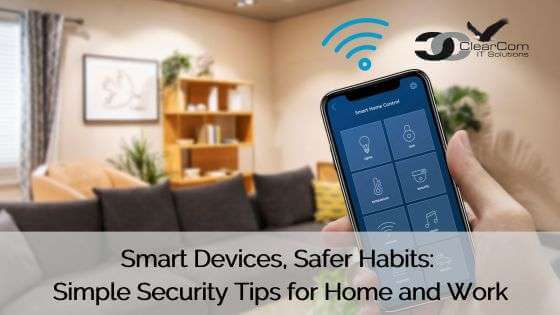
From video doorbells and smart thermostats to voice assistants and connected appliances, smart technology makes everyday life a little easier. At work, we rely on many of the same conveniences, including wireless printers, smart TVs, security cameras, and conference room equipment.
These devices are part of what’s known as the Internet of Things (IoT). Simply put, they’re everyday objects that connect to the internet or communicate with other devices.
While they’re convenient, it’s important to remember that anything connected to the internet deserves some attention when it comes to security.
The good news? You don’t have to be a technology expert to use smart devices more safely. A few simple habits can help protect your personal information, your devices, and even your workplace.
Why Smart Devices Need a Little Extra Attention
Unlike your computer or smartphone, most smart devices are easy to forget about after they’re installed.
That smart doorbell you purchased three years ago? It might still be using an old password. The conference room display everyone connects to? It could be missing important security updates.
When devices aren’t properly secured, they can create opportunities for unauthorized access, expose personal information, or introduce risks to other devices sharing the same network.
This doesn’t mean you should stop using them. It simply means giving them the same basic security attention you give your phone or computer.
5 Simple Ways to Keep Your Smart Devices Safer
1. Keep your devices updated.
Just like your phone, smart devices receive software updates that fix problems and improve security. Whenever possible, turn on automatic updates in the device’s app so you don’t have to remember to check.
2. Don’t stick with default passwords.
Some devices come with preset passwords that aren’t secure. When setting up a new device, create a strong, unique password. If the device offers two-factor authentication, turn it on for added protection.
3. Pay attention to what your devices can access.
Does your smart speaker really need access to your contacts? Does an app for controlling your lights need your location all the time?
Take a moment to review permissions and privacy settings. Turn off unnecessary features, especially microphone, camera, and location access, when they’re not needed.
4. Be mindful of shared Wi-Fi networks.
When working from home, your business laptop might share Wi-Fi with smart TVs, cameras, and other connected devices.
If your router offers a guest network, consider using it for compatible smart devices to help separate them from work equipment. Some devices need to share a network to function properly, so follow the manufacturer’s recommendations.
5. Think before connecting something new at work.
Smart displays, wireless printers, conference room cameras, and other connected office equipment can make collaboration easier.
However, don’t connect personal devices or install new smart equipment on your workplace network without approval. Your IT team can make sure business devices are configured and protected appropriately.
A Little Awareness Goes a Long Way
Smart technology isn’t going anywhere, and there’s no reason to give up the conveniences it brings.
The goal isn’t to worry about every connected device. You just need to build a few good habits: keep software updated, use strong passwords, review privacy settings, and be thoughtful about what connects to your network.
The smartest technology is technology that’s both convenient and secure.
If you’re unsure whether a connected device is appropriate for your workplace, check with your IT support team before connecting it. A quick question today can help prevent problems tomorrow.
